Weavara Converter Editable PowerPoint
Captivate to Storyline
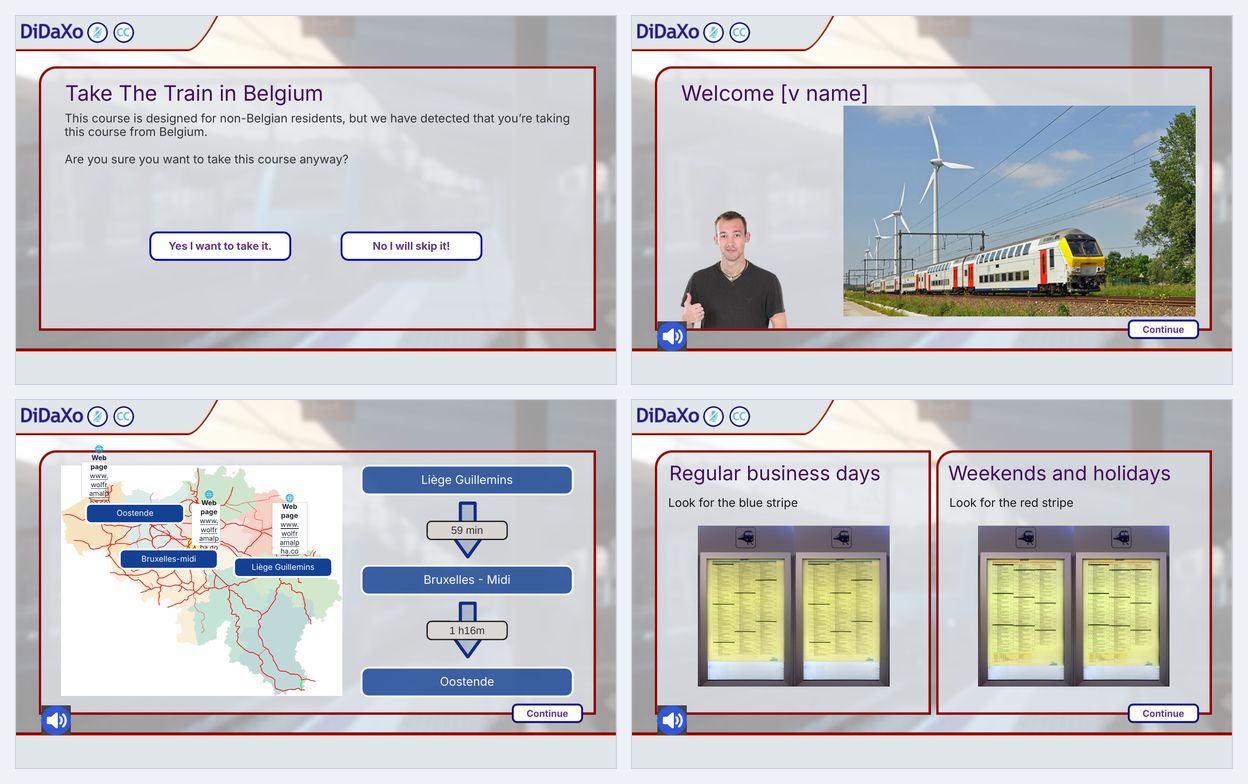
A Captivate Classic project as an editable PowerPoint deck. Storyline imports PowerPoint, so the deck is how the course gets into Storyline. No .story file is made.
Open a .cptx file without Captivate installed.
A whole Captivate library converts at once in library mode.
- Text, shapes and pictures, all editable
- Each layer as its own slide
- Narration and answer keys in the speaker notes
- Videos inside the deck, or left out to keep it small
- Advanced actions, timeline effects and variables
- A .story file: Storyline makes that when it imports the deck
Every format from this course
Your library
| Layers | Videos | Status | Open |
|---|
Drop more courses anywhere on this section to add them. Click a column heading to sort; click a count above to show only those courses.
Who gets what
Each team gets a folder with its formats from every course. Teams are kept in this browser for next time.
How it works
- Drop the Captivate .cptx file on this page.
- Download the PowerPoint deck.
- In Storyline, use Import, then PowerPoint, and pick the deck.
How a Captivate course gets into Storyline
Storyline has no import for Captivate projects. It does import PowerPoint, so the route is a PowerPoint deck made from the Captivate project, then Storyline's own PowerPoint import.
The deck is made for that step: every text box, shape and picture stays its own object, each slide keeps its size, and the narration and answer keys are in the speaker notes for rebuilding the audio and the quiz.
What you rebuild in Storyline
Interactions, advanced actions, variables and timeline effects do not travel through PowerPoint. Rebuild them as Storyline triggers, states and layers.
Quiz questions come across as slides with their answers in the notes. The quiz in Excel from the same file lists every question, its choices and the answer, to rebuild them as Storyline question slides.
A whole library
Library mode converts a folder of Captivate projects at once, with a list of what each holds.
Questions
- Does this make a .story file?
- No. It makes a PowerPoint deck. Storyline makes the .story file when it imports the deck.
- Do I need Captivate installed?
- No. The .cptx file opens in this page.
- What about the quiz?
- The questions, choices, correct answers and feedback come as an Excel file, and in the deck's notes.
- Which Captivate versions work?
- Captivate Classic projects, versions 8 to 11.
- Do the slides keep their layout?
- Yes. In the deck, each slide keeps its size and every object keeps its place.
- What do I need on my computer?
- Storyline imports PowerPoint only with a desktop version of PowerPoint installed on the same computer, such as the Microsoft 365 desktop apps. The web version of PowerPoint does not work for this.
Pricing
Every format from one course. Download for 30 days; the files are yours to keep. No account needed.
Convert a courseOr $180 a year. Every format from every course for one person, revisions included. Renews until you cancel.
Start the planOr $135 a seat a year, 2 seats or more. Every format from every course. Card or invoice with 30 days to pay.
Set up team seatsFull refund within 14 days if it isn't right. Receipts can be made into invoices, with your company's tax ID.
More from Captivate
Each one has its own page with a drop zone and a preview of the result.
| From | PPTXPowerPoint | DOCXWord | PDFPDF | XLSXQuiz to Excel | QTILMS question bank | XLSXStoryboard | JPGPictures | VTTCaptions | ZIPMedia | SCORMSCORM, cmi5 | More |
|---|---|---|---|---|---|---|---|---|---|---|---|
| .cptxCaptivate | PPTXCaptivate to PowerPoint | DOCXCaptivate to Word | PDFCaptivate to PDF | XLSXCaptivate quiz to Excel | QTICaptivate quiz to QTI | XLSXCaptivate to storyboard | Captivate Classic to PowerPointOpen a .cptx file without CaptivateCaptivate to Storyline |