Weavara Converter Editable PowerPoint
Get an editable copy of a SCORM package
When only the published package is left, get its slides back as a PowerPoint deck you can edit, with a Word handout and the quiz in Excel. Rebuild from the deck in your authoring tool.
For courses you own or have the rights to.
- Text, shapes and pictures, all editable
- Each layer as its own slide
- Narration and answer keys in the speaker notes
- Videos inside the deck, or left out to keep it small
- From Storyline, Captivate and Rise packages
- Triggers, timeline animations and variables
- Changes back into the package: it stays as it was
- Names a published package does not keep, such as question bank names
Test the package before you upload it, free: Weavara Preflight.
Every format from this course
Your library
| Layers | Videos | Status | Open |
|---|
Drop more courses anywhere on this section to add them. Click a column heading to sort; click a count above to show only those courses.
Who gets what
Each team gets a folder with its formats from every course. Teams are kept in this browser for next time.
How it works
- Drop the published SCORM .zip on this page.
- Look through the first slides, free.
- Pay once for the course and download the PowerPoint deck, the Word handout and the quiz in Excel.
When the project file is gone
A published package is what Storyline, Captivate or Rise wrote for the LMS. The authoring tool cannot open it again, so a course whose project file is lost cannot be edited where it was built.
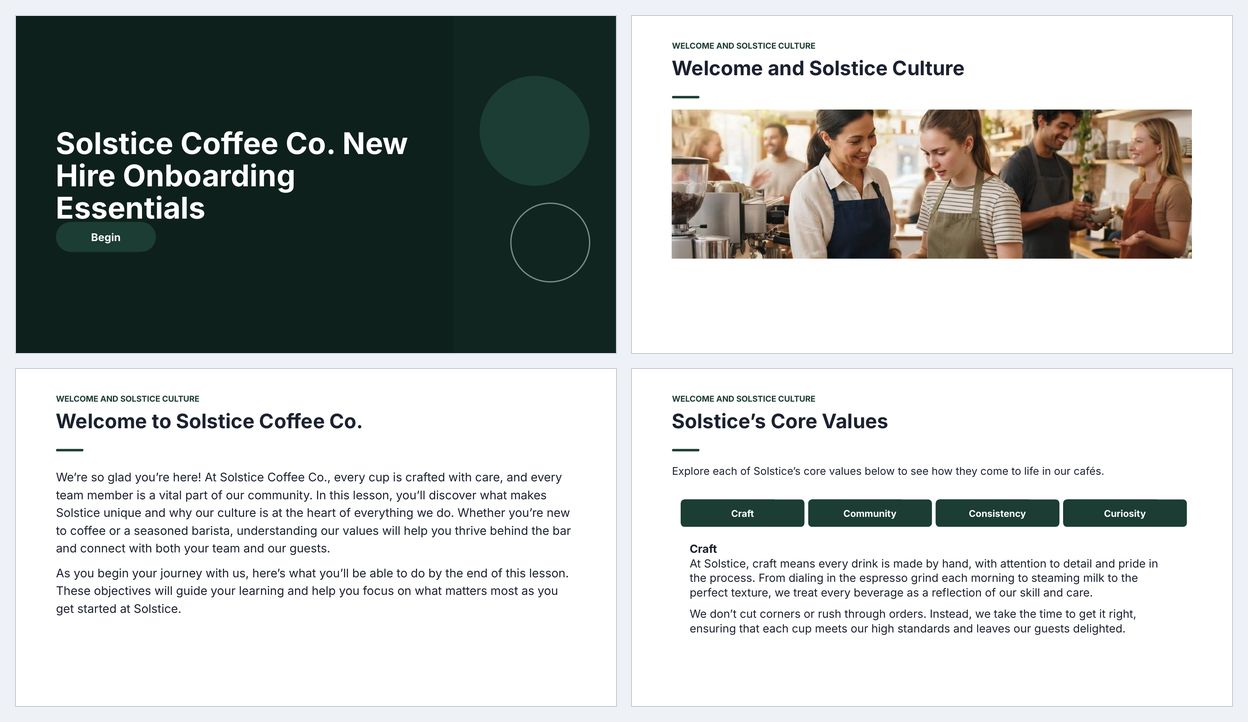
This page reads the package and gives its slides back as a PowerPoint deck: every text box, shape and picture editable, each layer as its own slide, narration in the speaker notes. Rebuild the course from the deck in your authoring tool, or use the deck as it is.
What comes back from each tool
Storyline output: slides, layers, text, pictures, and the quiz with its answers. Captivate output: slides, text, pictures and the quiz. Rise output: each lesson's text and pictures, laid out as slides.
What does not
Changes made in the deck do not go back into the package; the package stays as it was. Triggers, variables and animations are not in the deck. Text the package holds only as a picture stays a picture.
The deck can have more slides than the project showed, since it follows what the package holds.
Questions
- Can I change a SCORM package and upload it again?
- No. This page gives you an editable copy of the content to rebuild from. The package itself is not changed.
- Which packages work?
- SCORM packages published by Storyline, Captivate or Rise, as the .zip the LMS takes.
- Do I need the authoring tool?
- No. The package opens in this page.
- Whose courses can I convert?
- Courses you own or have the rights to.
Pricing
Every format from one course. Download for 30 days; the files are yours to keep. No account needed.
Convert a courseOr $180 a year. Every format from every course for one person, revisions included. Renews until you cancel.
Start the planOr $135 a seat a year, 2 seats or more. Every format from every course. Card or invoice with 30 days to pay.
Set up team seatsFull refund within 14 days if it isn't right. Receipts can be made into invoices, with your company's tax ID.
More from a published course
Each one has its own page with a drop zone and a preview of the result.
| From | PPTXPowerPoint | DOCXWord | PDFPDF | XLSXQuiz to Excel | QTILMS question bank | XLSXStoryboard | JPGPictures | VTTCaptions | ZIPMedia | SCORMSCORM, cmi5 | More |
|---|---|---|---|---|---|---|---|---|---|---|---|
| .zipPublished course | PPTXPublished course to PowerPoint | DOCXSCORM package to Word | PDFSCORM package to PDF | SCORMSCORM 1.2 to SCORM 2004 | SCORM package to PowerPointSCORM to cmi5Get an editable copy of a SCORM package |